Stuff We Want: Are Budget Robot Vacuums Worth It? What to Buy (and Skip)
A decision tree for pet-hair households, small apartments, and anyone whose last robot died tangled in a phone charger.
#ad. As an Amazon Associate I earn from qualifying purchases. Hand-picked by The Deez List. Disclosure
r/RobotVacuums gets the same post every week: "Are robot vacuums worth it?" Usually right after someone's dog shed a second dog onto the rug. The honest answer is yes, if you buy for the mess you actually have. A budget robot is a maintenance machine. It keeps crumbs, dust bunnies and pet hair from piling up between real cleans. It is not a butler, it does not scrub dried smoothie, and it will absolutely eat a stray sock if you leave one out like bait.
The three things that matter more than the suction number on the box: mapping (LiDAR robots clean in rows and know which room is which; old bump-and-go bots wander like a lost bumper car), a self-empty base (so you are not emptying a tiny bin every day), and anti-tangle brushes (long hair and pet hair wrap around basic bristle rolls fast). Every pick below has a self-empty base and cleans in a planned pattern instead of random bouncing; hair-tangle callouts vary, so they are noted per item.
Who should get which (skimmable):
- Small place, mostly crumbs, want the least fuss: Shark Navigator (item 1). - Several rooms, want schedules, keep-out zones and a bagged dock: Roomba 105 Vac + AutoEmpty (item 2). - A pet that sheds like it is getting paid for it: Shark AI Ultra (item 3), or the roborock if you also want a mop (item 4). - Want a damp wipe on hardwood and tile after the vacuum pass: roborock Q7 M5+ (item 4) or Shark Matrix Plus (item 5).
1. The Crumb Bouncer With Its Own Trash Can (Navigator RV2120AE)

The Navigator is the "I just want the crumbs gone" robot. SmartPath Navigation uses spot LiDAR to map your place and clean row by row, and it can detect and avoid objects in its path, which is great news for the shoe you kicked off at the door. It self-empties after each clean into a bagless base that holds up to 60 days of debris, so there are no disposal bags to keep buying. The self-cleaning brushroll is built to pull hair off carpet and hardwood without wrapping. No mop, no drama, no learning curve.
2. The Roomba That Finally Learned to Read a Map (105 Vac + AutoEmpty)
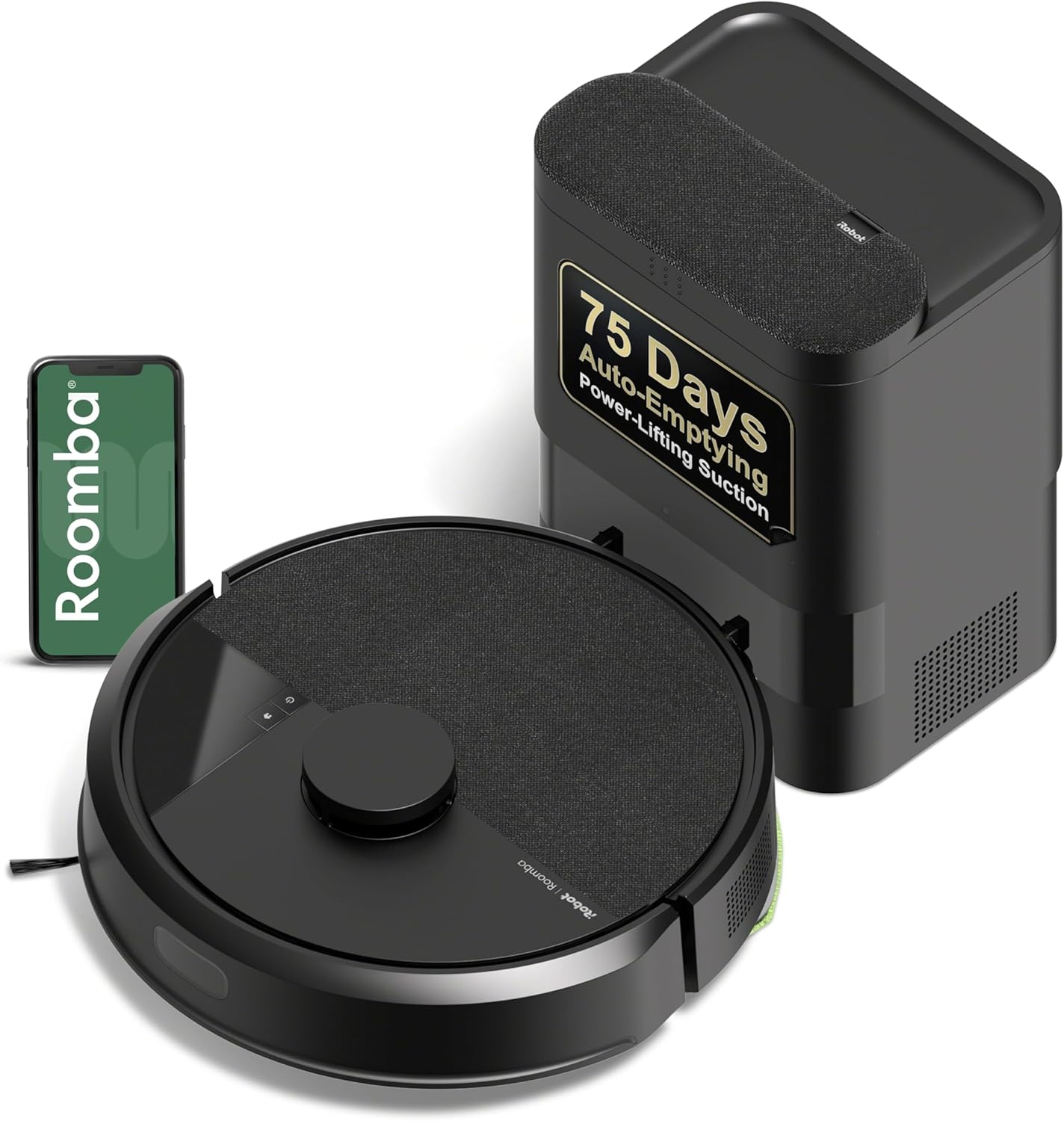
This is the Roomba for people who remember the old ones bouncing off the couch like a pinball for an hour. The 105 Vac uses ClearView LiDAR to map your home, then cleans in neat rows. In the Roomba Home app you can schedule and target specific rooms, set the number of passes and suction level, and draw keep-out zones around the dog bowl or the cable nest behind the TV. Spot cleaning works one area for up to 5 minutes, stair sensors keep it from going full stunt double, and the AutoEmpty dock is bagged and listed at up to 75 days. One setup note from the listing: it runs on 2.4 GHz Wi-Fi.
3. The Shedding-Season Specialist (AI Ultra AV2501AE)

The listing title literally says "Perfect for Pet Hair," and the spec sheet backs up the vibe: a self-cleaning brushroll, 360° LiDAR that maps your home and avoids objects day or night, and Matrix Clean navigation that drives a grid with multiple passes over the dirty spots. The bagless XL self-empty base means the fur goes somewhere other than your hands. Runtime is up to 120 minutes, and Recharge and Resume sends it back to the dock to charge and then finish the job. In the box: the robot, the XL base, and 2 side brushes.
4. The Vacuum-Plus-Damp-Wipe Starter (Q7 M5+)
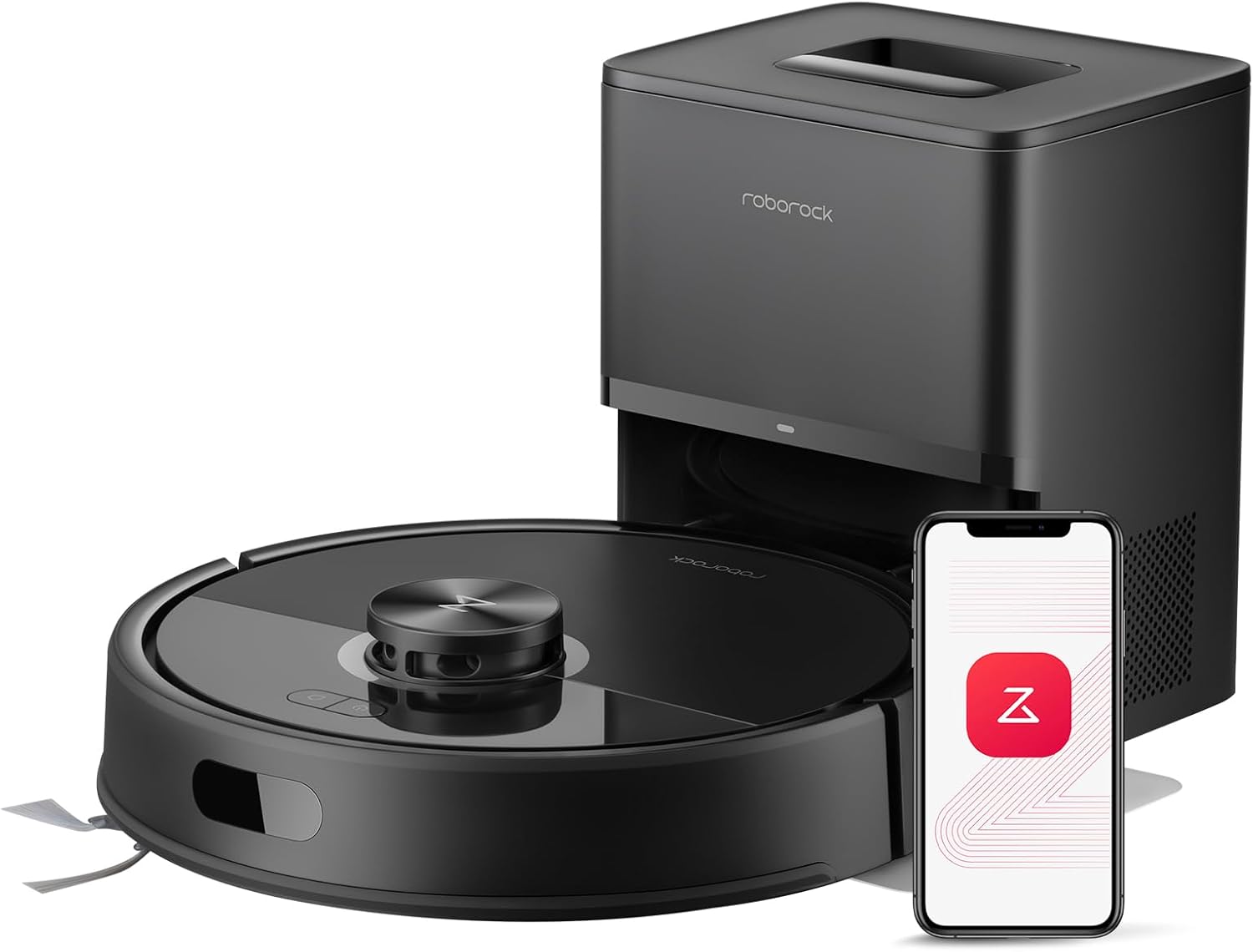
The roborock is the budget way into vacuum-plus-mop without a giant wash station. The RockDock Plus uses a 2.7L sealed dust bag rated for up to 7 to 9 weeks hands-free. Suction is listed at 10,000Pa, and the JawScrapers main brush plus a side brush roborock bills as zero hair-tangling are pitched at long-haired breeds. It vacuums and mops in one go with three water flow settings, PreciSense LiDAR handles the map, and the app does schedules, spot cleans and no-go zones around pet areas. App note: 2.4GHz Wi-Fi only.
5. The Vacuums-and-Mops-Same-Lap Shark (Matrix Plus UR2650WS)

The Matrix Plus vacuums carpet and sonic mops hard surfaces in the same run, so you are not running two robots like a tiny cleaning crew. Matrix Clean drives a precision grid with multiple passes, and CleanEdge Detect uses blasts of air and corner recognition to pull debris out of edges and corners. The bagless self-empty base holds up to 30 days of debris and needs no disposal bags, and Recharge & Resume picks the job back up after a charge. Think of the mop as a daily refresh, not a deep scrub.
What to skip: random-bounce robots with no mapping if you have more than a couple of rooms (they miss spots and take forever), any robot without anti-tangle brushes if anyone in the house has long hair or fur, and mopping robots if you are hoping to retire the real mop. Budget mop robots wipe. They do not scrub sticky. Also skip any robot if your place is a minefield of cords and socks and you are not willing to do a 2-minute pickup first. The robot will find the sock. It always finds the sock.
When to buy: robot vacuums are one of the categories that go on sale over and over, especially around the big shopping events. If you are not in a hurry, time it to one. Our when to buy page is the boring-but-useful companion.
The verdict: budget robot vacuums are worth it when you buy for daily upkeep, not miracles. Crumbs and a small place: Navigator. Multiple rooms and you love a schedule: Roomba 105 with AutoEmpty. Fur everywhere: Shark AI Ultra. Want a damp wipe too: roborock Q7 M5+ or Shark Matrix Plus. For whatever is on sale today, skim the hand-picked picks on the daily Deez List.
#ad. As an Amazon Associate I earn from qualifying purchases. Hand-picked by The Deez List.
Popular this week


Get the best deals online right now, free every morning
One short email a day with the deals worth your money. Free, and unsubscribe anytime.
You’re subscribed ✓ Watch for tomorrow’s issue from [email protected].
You’re on the list ✓ Your first issue arrives tomorrow morning from [email protected]. Not in your inbox? Check Promotions or Spam and move it over.
We collect your email address only to send you the newsletter (via our email provider, Kit). We never sell or share it. Unsubscribe anytime. See our privacy policy and terms.