Xbox Series X vs Series S: Which Console Should You Buy?
One plays 4K games and physical discs; the other skips the drive and targets 1440p in a box small enough to pack in a backpack. Here is Microsoft's full spec-by-spec breakdown.
#ad. As an Amazon Associate I earn from qualifying purchases. Hand-picked by The Deez List. Disclosure
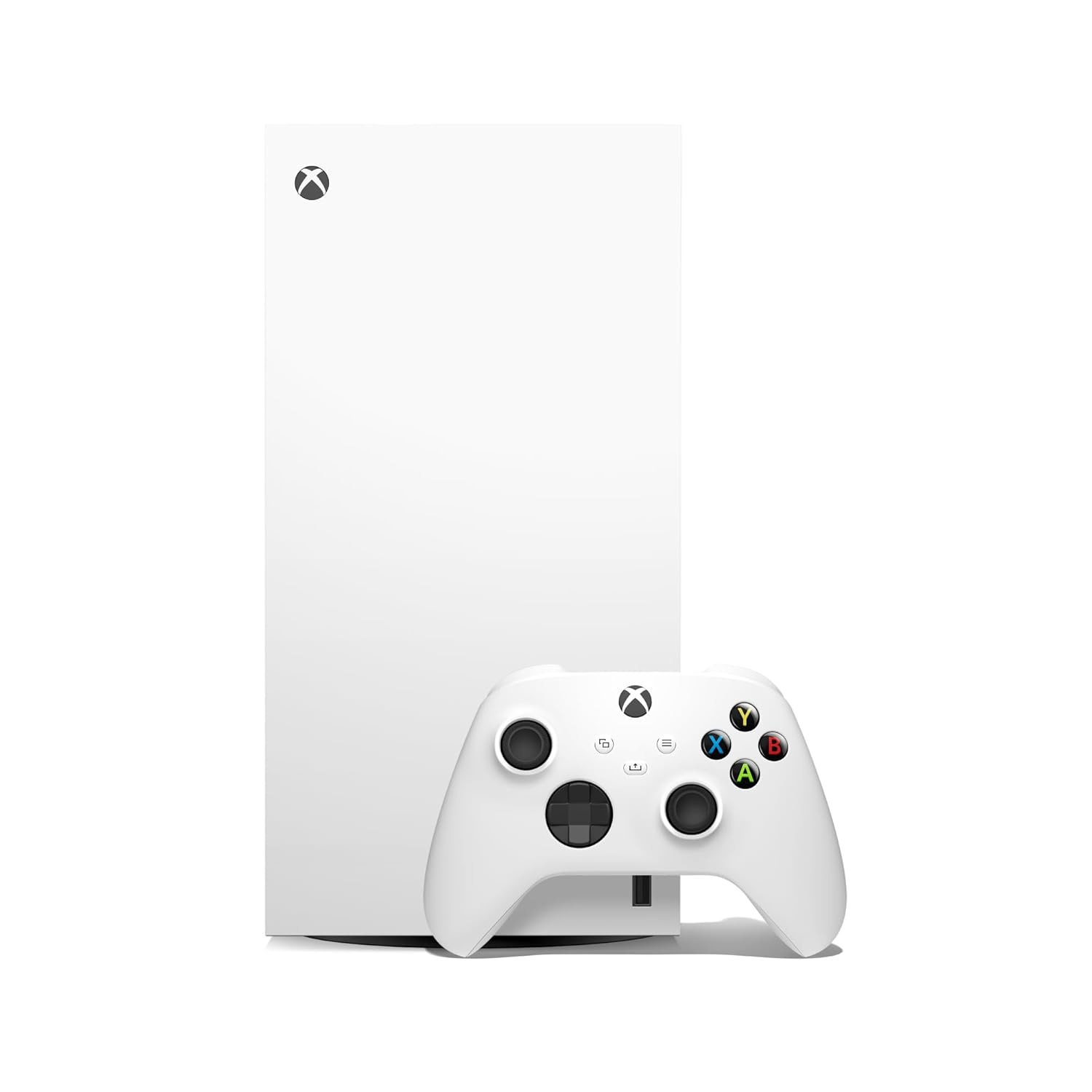
Xbox Series X vs Series S: which should you buy? Buy the Xbox Series X if you play on a 4K TV, want triple the raw GPU power (12 teraflops vs 4 teraflops), or need a 4K UHD Blu-ray disc drive on the Carbon Black or 2TB models. Buy the Xbox Series S if you play mostly Game Pass or digital downloads on a 1080p or 1440p monitor, travel with your console, or want the most affordable entry point into current-generation Xbox games.
Both consoles run the exact same library of Xbox Series X|S, Xbox One, Xbox 360, and original Xbox digital games, support Quick Resume, and output up to 120 frames per second over HDMI 2.1. What separates them is resolution headroom, memory capacity, storage, and whether you can slide in a physical game disc or 4K movie.
Check the Xbox Series X (1TB Digital) on Amazon
Check the Xbox Series S (512GB) on Amazon
Xbox Series X vs Series S: specs compared
| Xbox Series X | Xbox Series S | |
|---|---|---|
| CPU | 8X Cores @ 3.8 GHz (3.6 GHz w/ SMT) Custom Zen 2 | 8X Cores @ 3.8 GHz (3.6 GHz w/ SMT) Custom Zen 2 |
| GPU | 12 TFLOPS, 52 CUs @ 1.825 GHz Custom RDNA 2 | 4 TFLOPS, 20 CUs @ 1.565 GHz Custom RDNA 2 |
| Memory | 16GB GDDR6 (320-bit bus: 10GB @ 560 GB/s, 6GB @ 336 GB/s) | 10GB GDDR6 (128-bit bus: 8GB @ 224 GB/s, 2GB @ 56 GB/s) |
| Performance target | True 4K gaming (up to 8K HDR capable) | 1440p gaming (upscales to 4K for games; 4K streaming media) |
| Max frame rate | Up to 120 FPS | Up to 120 FPS |
| Optical drive | 4K UHD Blu-ray on 1TB Carbon Black & 2TB Galaxy Black; none on 1TB Digital Edition | None (all-digital; physical discs not supported) |
| Internal storage | 1TB Custom NVMe SSD (or 2TB Galaxy Black Special Edition) | 512GB or 1TB Custom NVMe SSD |
| I/O throughput | 2.4 GB/s raw, 4.8 GB/s compressed | 2.4 GB/s raw, 4.8 GB/s compressed |
| Ports & wireless | 1x HDMI 2.1, 3x USB 3.1 Gen 1, 1Gbps Ethernet, 802.11ac dual-band Wi-Fi | 1x HDMI 2.1, 3x USB 3.1 Gen 1, 1Gbps Ethernet, 802.11ac dual-band Wi-Fi |
| Expandable storage | Official Storage Expansion Card slot + USB 3.1 external HDD support | Official Storage Expansion Card slot + USB 3.1 external HDD support |
| Dimensions | 15.1 cm x 15.1 cm x 30.1 cm | 6.5 cm x 15.1 cm x 27.5 cm |
| Weight | 9.8 lbs (disc editions) / 7.9 lbs (1TB Digital Edition) | 4.25 lbs |
All specifications above come directly from Microsoft's official Xbox Series X and Xbox Series S hardware sheets.
What do you actually get by stepping up to Xbox Series X?
- Three times the GPU compute and 60% more RAM: The Series X pairs 52 RDNA 2 compute units (12 teraflops) with 16GB of GDDR6 memory, compared to 20 compute units (4 teraflops) and 10GB on the Series S. On a large 4K TV, that keeps textures sharper, ray tracing active in supported titles, and 60 FPS modes cleaner in heavy open-world games.
- Double the starting storage on the base tier: Every Series X starts with at least a 1TB custom NVMe SSD (with a 2TB Galaxy Black option also in the lineup), while the entry Series S starts at 512GB. Modern releases easily cross 100GB each, so 512GB fills up after three or four big games.
- Physical discs if you pick a disc model: Only the Xbox Series X 1TB Carbon Black and 2TB Galaxy Black Special Edition include a 4K UHD Blu-ray drive. Note that the Robot White Xbox Series X 1TB Digital Edition skips the optical drive just like the Series S, so double-check which Series X SKU is in your cart before buying physical discs.
Why the Xbox Series S is still the easiest second console or starter pick
- Tiny footprint and travel weight: At 4.25 pounds and just 6.5 cm thick, the Series S slides onto narrow dorm shelves, behind bedroom TVs, or into a carry-on bag where the monolithic Series X tower simply will not fit.
- Identical CPU and fast load times: Microsoft kept the same 8-core Zen 2 CPU and Velocity Architecture NVMe throughput on both machines. Switching between suspended games with Quick Resume feels virtually identical, and cross-generation multiplayer lobbies load right alongside Series X players.
- A cleaner match for Game Pass and smaller screens: On a 1080p bedroom TV or a 1440p desk monitor, the visual gap between Series S and Series X shrinks dramatically, making the Series S's lower upfront cost hard to beat.
If you are pairing either console with an extra pad or accessories, check our hands-on look at the 8BitDo Ultimate Mini Xbox controller and our roundup of other Switch 2 vs Switch OLED and Meta Quest 3 vs Quest 3S comparisons.
Who should buy which
- Buy the Xbox Series X (1TB Digital) if you game primarily on a 4K living-room TV, want maximum frame stability and native 4K detail, and buy all your games digitally.
- Buy the Xbox Series X (1TB Disc Edition) if you own physical Xbox One or Xbox 360 discs, trade used games, or want a 4K UHD Blu-ray player built into your TV stand.
- Buy the Xbox Series S (512GB) if you mostly play Game Pass, Fortnite, Minecraft, or sports titles on a 1080p/1440p screen and want the smallest, most affordable current-gen Xbox.
Who should skip both
- You want Nintendo exclusives or true handheld play: Neither Xbox leaves the living room on its own; look at our Switch 2 vs Switch OLED breakdown instead.
- You already own a capable gaming PC: Nearly every Xbox first-party release also launches on Windows PC with Game Pass, so upgrading your GPU or pairing a controller may make more sense.
Frequently asked questions
Can the Xbox Series S play every game the Xbox Series X plays?
Yes, for digital games. Every Xbox Series X|S title is required to run on both consoles. The Series S simply runs at lower internal resolutions (typically targeting up to 1440p instead of 4K) and cannot read physical discs.
Does the white Xbox Series X have a disc drive?
No. The Robot White Xbox Series X 1TB Digital Edition is all-digital and does not have an optical drive. If you want a disc drive on Series X, look specifically for the Carbon Black 1TB Disc Edition or the 2TB Galaxy Black Special Edition.
How much usable space is on the 512GB Xbox Series S?
After the operating system reserves space, you have roughly 364GB free for games. You can plug in a standard USB 3.1 external hard drive to store Xbox Series X|S games or play older Xbox One/360 titles directly, or use an official Storage Expansion Card to run new-gen games straight from expansion storage.
Can both consoles output 120 FPS?
Yes. Both the Series X and Series S support up to 120 FPS in supported games when connected over HDMI 2.1 to a 120Hz TV or monitor.
Which Xbox is the better Black Friday or Christmas gift?
For a main family 4K TV or a gamer with physical discs, go with the Series X. For a teen's bedroom, dorm room, or digital-only Game Pass player, the Series S saves room and money — and you can check our Black Friday, Cyber Monday, and Christmas gifts hubs for seasonal bundles.
---
Verdict: Choose the Xbox Series X for true 4K visuals, 1TB+ starting storage, and optional disc support; choose the Xbox Series S if you play digital games on a 1080p or 1440p display and want the compact console.
Popular this week